1. The Single Clipboard Trap in macOS
Every day, knowledge workers, programmers, researchers, and writers perform hundreds of copy-and-paste actions on their MacBooks. Yet out of the box, Apple equips macOS with a clipboard that has essentially remained unchanged since the 1980s: it only remembers one item at a time.
You copy a client's email address from Slack. Before you paste it into your CRM, you highlight and copy a tracking number. Instant regret strikes: your first copy has vanished into thin air. You must now context-switch back to Slack, locate the conversation, scroll, and copy it all over again.
This "clipboard overwriting tax" happens dozens of times a day, disrupting your focus and wasting hours every week.
2. Why Every Mac User Needs a Clipboard Manager
A high-quality clipboard manager transforms the Mac clipboard from a fragile single-item buffer into a searchable, chronological memory bank. With a clipboard utility running in the background:
- Nothing is Lost: Code snippets, web addresses, chat excerpts, and tabular data copied hours or days ago remain instantly accessible.
- Batch Copying: You can copy five distinct elements from a website or document in sequence, jump to your destination app, and paste them one by one without bouncing back and forth.
- Instant Fuzzy Search: Search by keyword or regex to locate a specific string copied yesterday morning.
3. The Missing Piece: Why History Alone Isn't Enough
Most clipboard managers only solve half the problem. They passively record history, but they fail to support active composition.
Think about your real daily workflow:
- You copy a raw JSON response or messy paragraph with weird formatting, line breaks, and trailing spaces.
- You need a quick place to paste, clean up, edit, and assemble pieces before sending them out.
- Opening Apple Notes, TextEdit, or Notion creates clutter—dozens of untitled "New Note" files accumulating like digital junk mail.
What you truly need is a tool that unites passive clipboard history with an instant, persistent scratchpad that stays pinned in your menu bar and survives computer restarts.
4. Meet Paste Box: History Meets Active Scratchpad
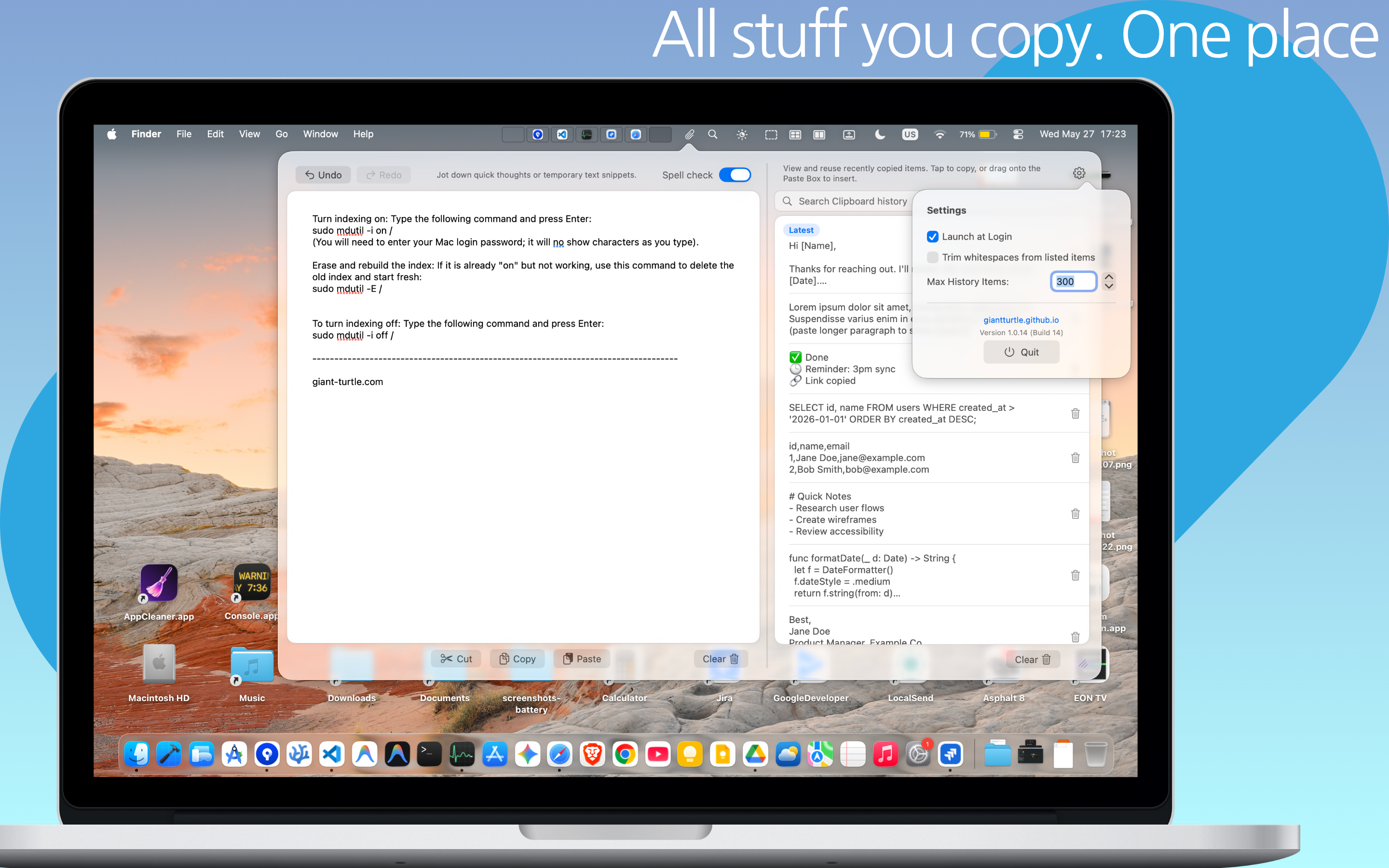
Paste Box was designed by GiantTurtle Studio specifically to solve this dual challenge for modern Mac users. It lives quietly in your menu bar and offers a streamlined two-pane workflow:
Paste Box for macOS
Minimalist, persistent scratchpad and unified clipboard history manager. Native glassmorphic UI, smart formatting, and zero cloud tracking.
With Paste Box, you get:
- Unified History Stream: Review every piece of text, code, or link you've copied, organized by time with instant preview.
- Persistent Scratchpad (Drafts): An always-open notepad right inside the popup. Jot thoughts, draft emails, or hold temporary snippets—everything is saved continuously and survives system reboots.
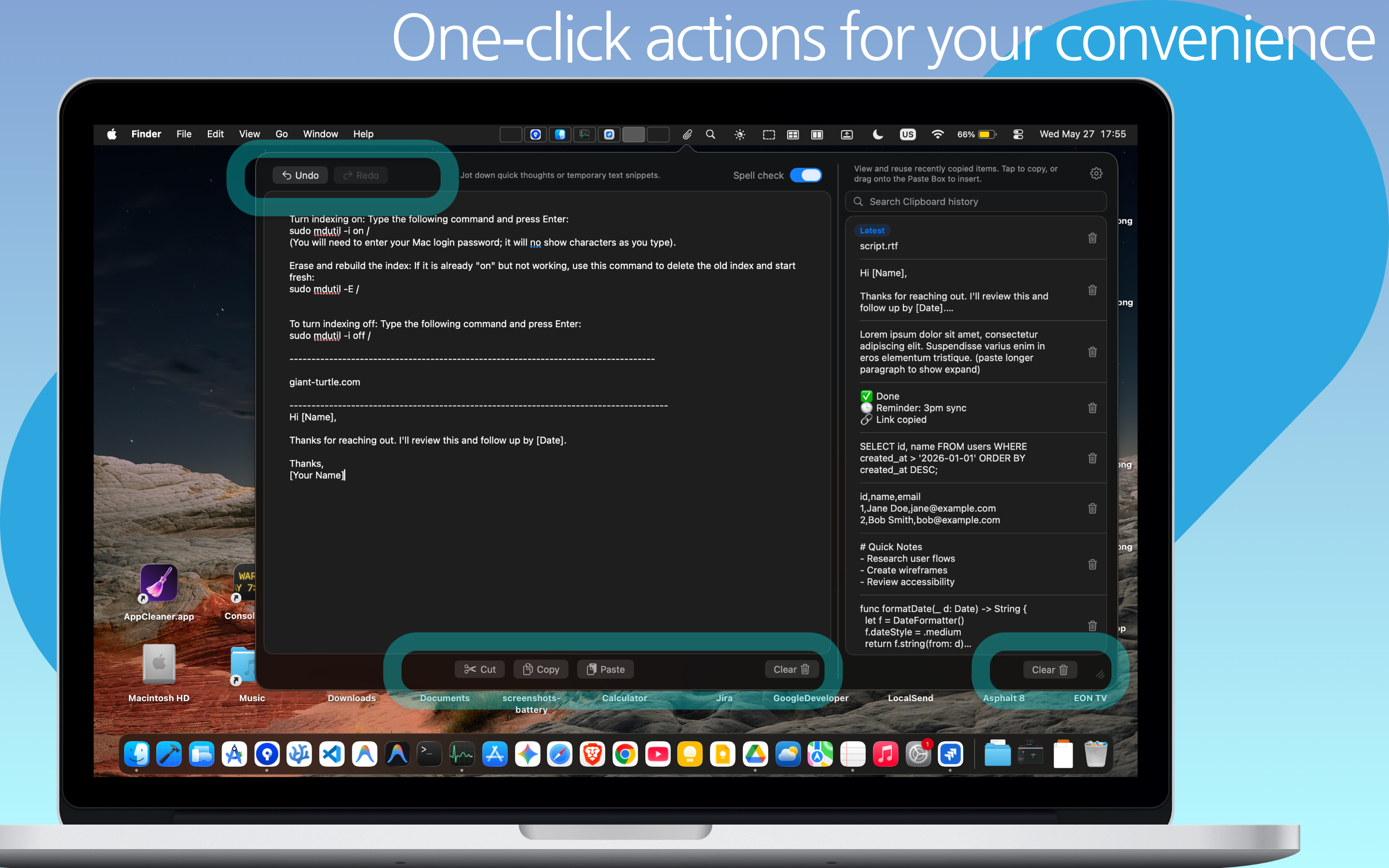
- One-Click Actions: Copy clean plain text, trim whitespace, or format strings instantly.
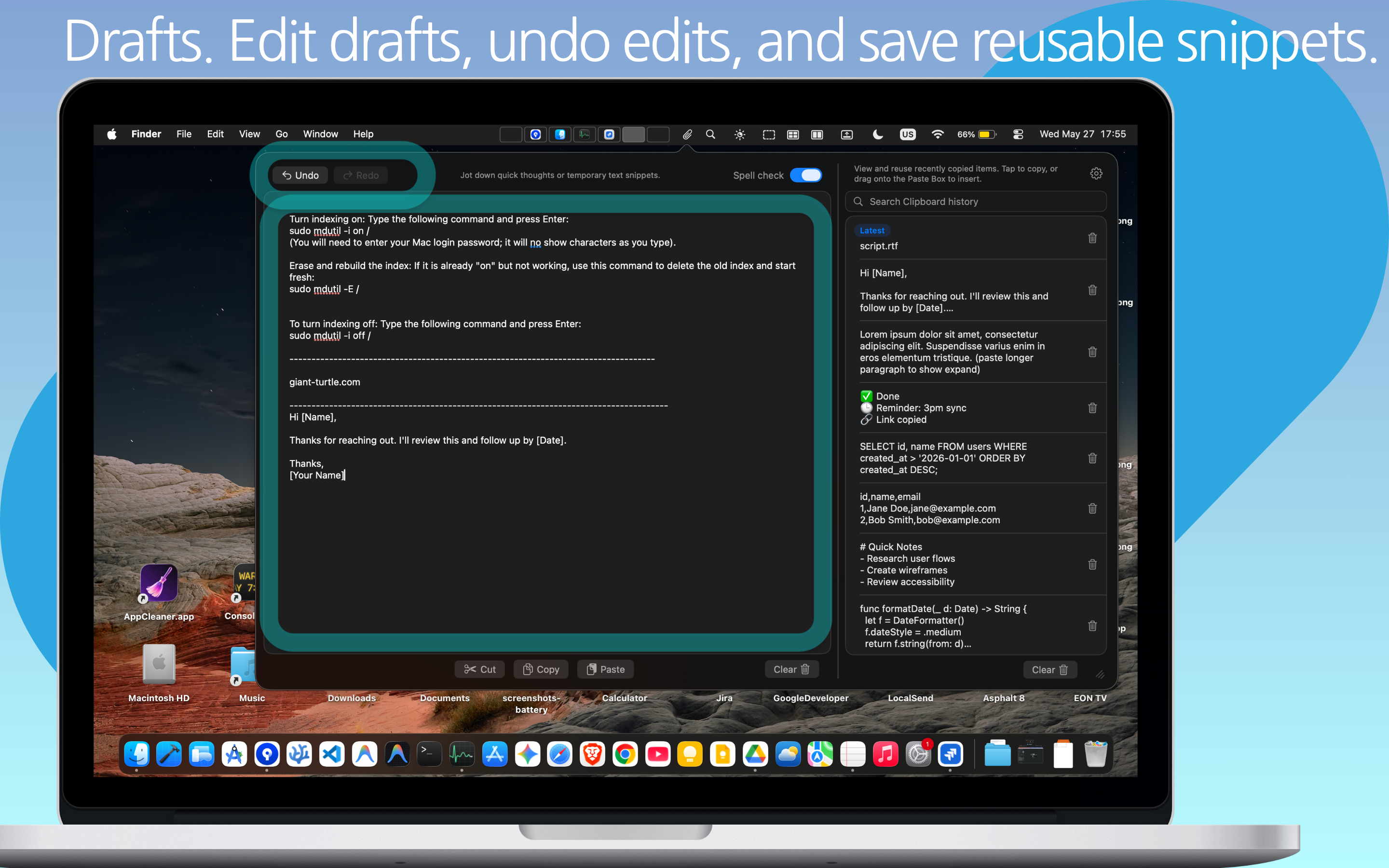
5. Smart Formatting, Spell Check & AI Prompt Drafting
In the era of AI and large language models (like ChatGPT, Claude, and Gemini), users are constantly copying prompts, reference data, and output snippets. Paste Box is tailor-made for this modern workflow:
- Integrated Spell Checking: Catch typos before pasting your draft into an important client email or code commit.
- Clean Plain-Text Stripping: Web pages frequently bundle hidden HTML spans, font styles, and background colors into your copied text. Paste Box lets you paste pure, unformatted text without formatting artifacts.
- Prompt Staging Ground: Craft and assemble complex multi-part AI prompts by pulling snippets from your clipboard history directly into your scratchpad before submitting.
6. Privacy First: Zero Cloud Syncing, 100% Local
Think about what passes through your Mac clipboard: one-time passwords (2FA), credit card numbers, confidential proprietary code, personal messages, and private client data.
Many popular commercial clipboard apps require cloud user accounts and sync your clipboard contents across proprietary cloud servers. If those servers are compromised or data is scraped, your sensitive passwords and private communications are exposed.
Paste Box takes an uncompromising privacy-first stance:
- 100% Local Storage: All clipboard data and scratchpad entries remain inside your Mac's sandboxed local container.
- No Cloud Accounts: You never need to create an account, log in, or provide an email.
- Zero Telemetry: No telemetry daemons, tracking pixels, or data collection.
7. Comparison: Traditional Tools vs. Paste Box
| Multitasking Feature | Default macOS | Generic Clipboard Managers | Paste Box |
|---|---|---|---|
| Clipboard History | 1 Item Only | Yes | Unlimited & Searchable |
| Persistent Scratchpad | None | No (History only) | Built-in Persistent Drafts |
| Cloud Storage Privacy | N/A | Often Cloud-Synced | 100% Local & Sandboxed |
| Clean Plain-Text Formatting | Complex shortcuts | Basic | 1-Click Formatting |
| Native Glassmorphic UI | N/A | Dated / Cluttered | Modern macOS Aesthetic |
8. Frequently Asked Questions
No. Default macOS only stores your most recent copy. The moment you press Cmd + C on a new item, the previous content is permanently lost. A specialized tool like Paste Box gives you access to your full copy history.
No. Paste Box is 100% private and offline. Your snippets and scratchpad notes never leave your computer.
Yes. Paste Box is built natively as a Universal Binary, ensuring peak efficiency and instant responsiveness on M1, M2, M3, M4, and Intel-based MacBooks and desktop Macs.
Yes. Paste Box features an instant search bar with fast fuzzy matching, allowing you to locate text snippets, URLs, or code fragments copied hours or days ago in milliseconds.
Never Lose a Thought or Snippet Again
Upgrade your Mac productivity with a clipboard tool that respects your privacy and fits naturally into your workflow. Combine historical search with an instant scratchpad today.
Get Paste Box on the Mac App Store
Designed for macOS Sequoia, Sonoma, and Ventura. Available now on the Mac App Store.