macOS Menu Bar Utility

See your Desktops
at a glance.

A lightweight macOS utility that lives in your menu bar. Always know which desktop you're on and switch between them with a click or native macos swipe gestures.

Requires macOS 15.0 or later
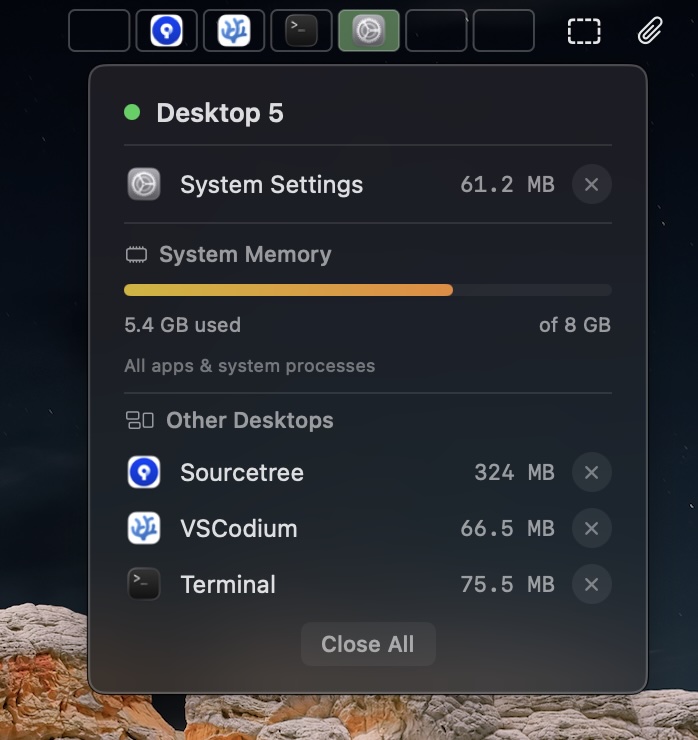
Desktops showing desktops in the macOS menu bar

Everything you need.
Nothing you don't.

Desktops stays out of your way while keeping you oriented across all your virtual desktops. You always know which desktop you're on, and what is on next and previous screen. Makes it easier to multitask without using external displays.

👁️

Always Visible

A persistent indicator in your menu bar shows exactly which desktop you're on, no need to swipe or open Mission Control.

🖱️

Click to Switch

Switch to any desktop with a single click on the menu bar indicator. Works across multiple displays with smooth native transitions.

🎨

Multiple Styles

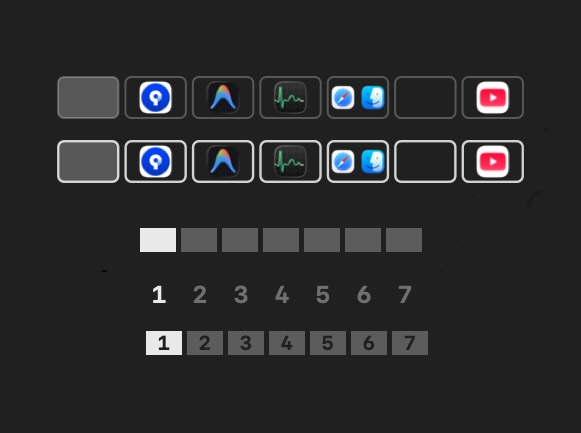
Choose from rectangles, numbers, numbered rectangles, or opened-app indicators. Pick the style that fits your workflow.

Native & Lightweight

Built with Swift and SwiftUI. Uses minimal resources, no Electron, no background daemons, no performance overhead.

🚀

Launch at Login

Set it once and forget it. Desktops starts silently when you log in, ready whenever you need it.

Make it yours.

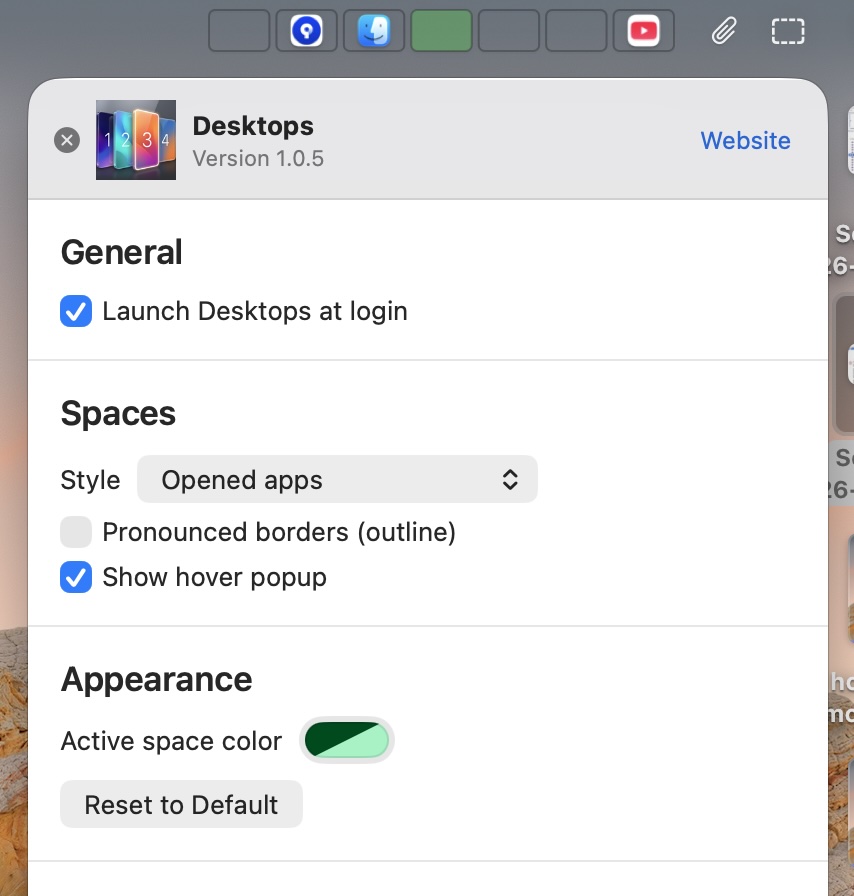
A clean preferences panel gives you full control without complexity.

  • Choose from multiple indicator styles
  • Toggle pronounced border outlines
  • Launch automatically at login
  • 14-day free trial, then one-time purchase

Your desktops,
your style.

Four carefully crafted display modes so the indicator blends perfectly with how you work.

Rectangles Numbers Rectangles + Numbers Opened Apps
Desktops preferences window showing style picker, launch at login, and keyboard shortcut settings Different display styles

Ready to navigate
your desktops smarter?

Desktops is free to try for 14 days. Runs natively on macOS 15 and later.