1. The Prompt Fragmentation Trap
As generative AI has matured from simple conversational novelties to mission-critical engineering tooling, the structure of our prompts has expanded exponentially. When diagnosing a complex Kubernetes race condition, optimizing a PostgreSQL query plan, or drafting an investment memo with Claude 3.5 Sonnet or GPT-4o, your prompt isn't a quick question—it is a composite document.
To build that prompt, you must pull information from across your entire operating system:
- A stack trace from your terminal
- Three schema definitions from VS Code
- An authentication endpoint specification from Postman
- Style guide constraints from your internal company documentation
On default macOS, your clipboard can only hold one item at a time. You copy the stack trace; then you copy the schema. Your stack trace is gone. You jump back to terminal, re-copy it, switch windows, and accidentally copy a URL from Slack. The cognitive friction is immense.
2. Why Raw Browser Chat Inputs Fail at Complex Engineering
Most knowledge workers attempt to assemble these multi-source prompts directly inside the web browser's input textarea. This creates four major points of failure:
Accidental Early Submission
You attempt to insert a new line with Shift + Enter, but your finger slips and hits Enter. The browser immediately dispatches an unbaked, incomplete prompt to the model. You waste rate limits, confuse the model's conversational memory, and have to start over.
Formatting & Whitespace Corruption
Browsers and rich text editors frequently inject invisible zero-width spaces, smart curly quotes (“ ” instead of " "), and Windows-style carriage returns (\r\n). These subtle artifacts degrade tokenizer efficiency and trigger syntax errors in code generation.
Session Timeouts & Tab Crashes
Nothing is more painful than spending 20 minutes curating a comprehensive 3,000-word prompt only for the browser tab to reload due to memory pressure or an expired OAuth token, wiping your entire draft.
3. The 5-Part Prompt Staging Architecture
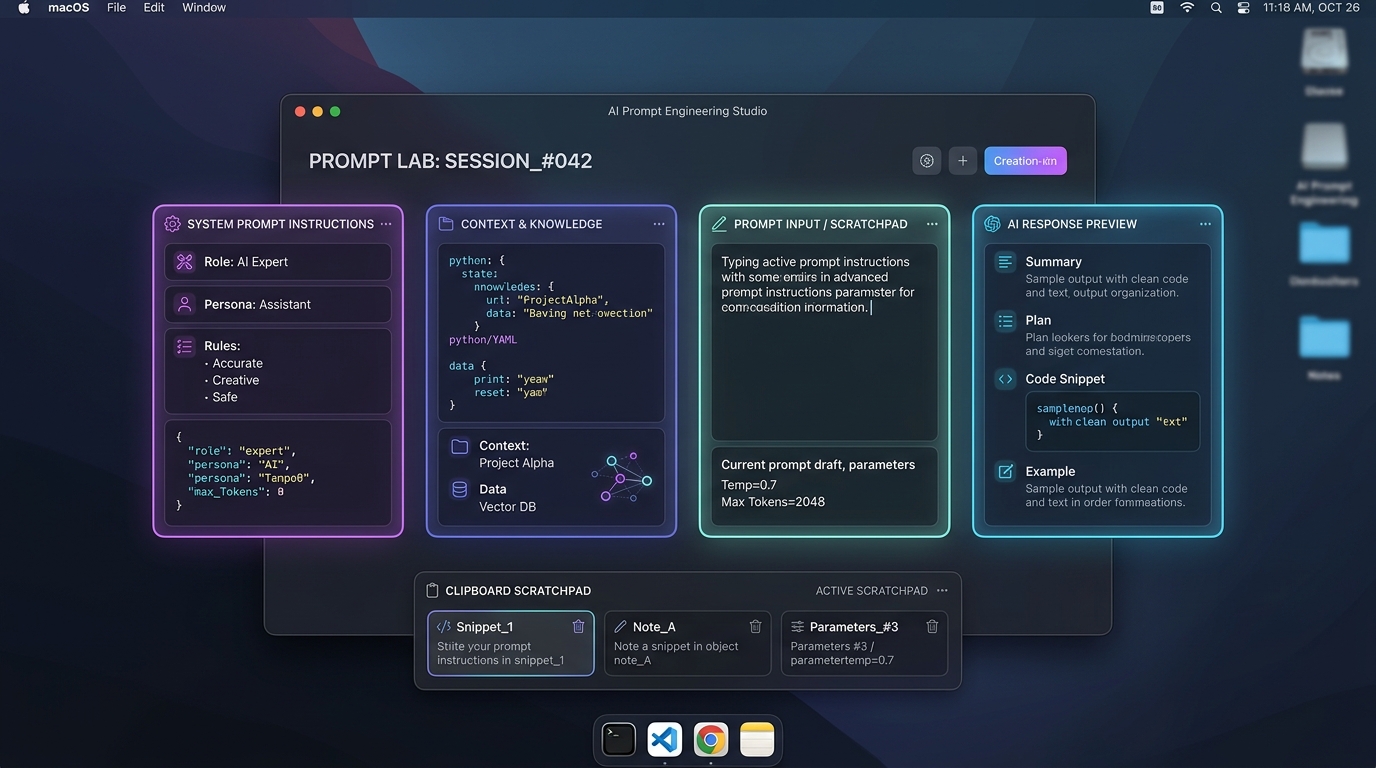
Elite prompt engineers treat prompts like modular software components. Rather than writing freeform prose, assemble your instructions using the standardized 5-stage architecture:
Act as a Principal Security Architect specializing in OAuth 2.1 and PKCE implementations.
### 2. CONTEXT & CODEBASE ARTIFACTS (The Injected Ground Truth)
Here is our current token refresh handler and middleware:
[Pasted TokenHandler.swift Snippet from Clipboard]
### 3. CONSTRAINTS & NEGATIVE DIRECTIVES (The Guardrails)
- Target iOS 17+ and macOS Sonoma native Swift concurrency only (no Combine).
- Do NOT introduce external third-party dependencies.
- Preserve all existing telemetry and logging signatures.
### 4. FEW-SHOT EXAMPLES (The Output Anchor)
Input: Expired token with invalid refresh grant
Expected Return: AuthError.sessionExpired(reason: .refreshTokenInvalidated)
### 5. TASK DIRECTIVE & OUTPUT CONTRACT (The Final Order)
Audit the code above for race conditions during simultaneous token refreshes. Output a bulleted vulnerability list followed by the refactored Swift actor implementation.
When your prompt is staged with clear headers, you can swap out the pasted context block in seconds while preserving your carefully tuned role, constraints, and output contract.
4. The Menu Bar Scratchpad Workflow with Paste Box
Opening a full note-taking application like Notion, Obsidian, or Apple Notes just to stage a prompt adds significant friction: window management headaches, slow load times, and rich-text formatting bloat.
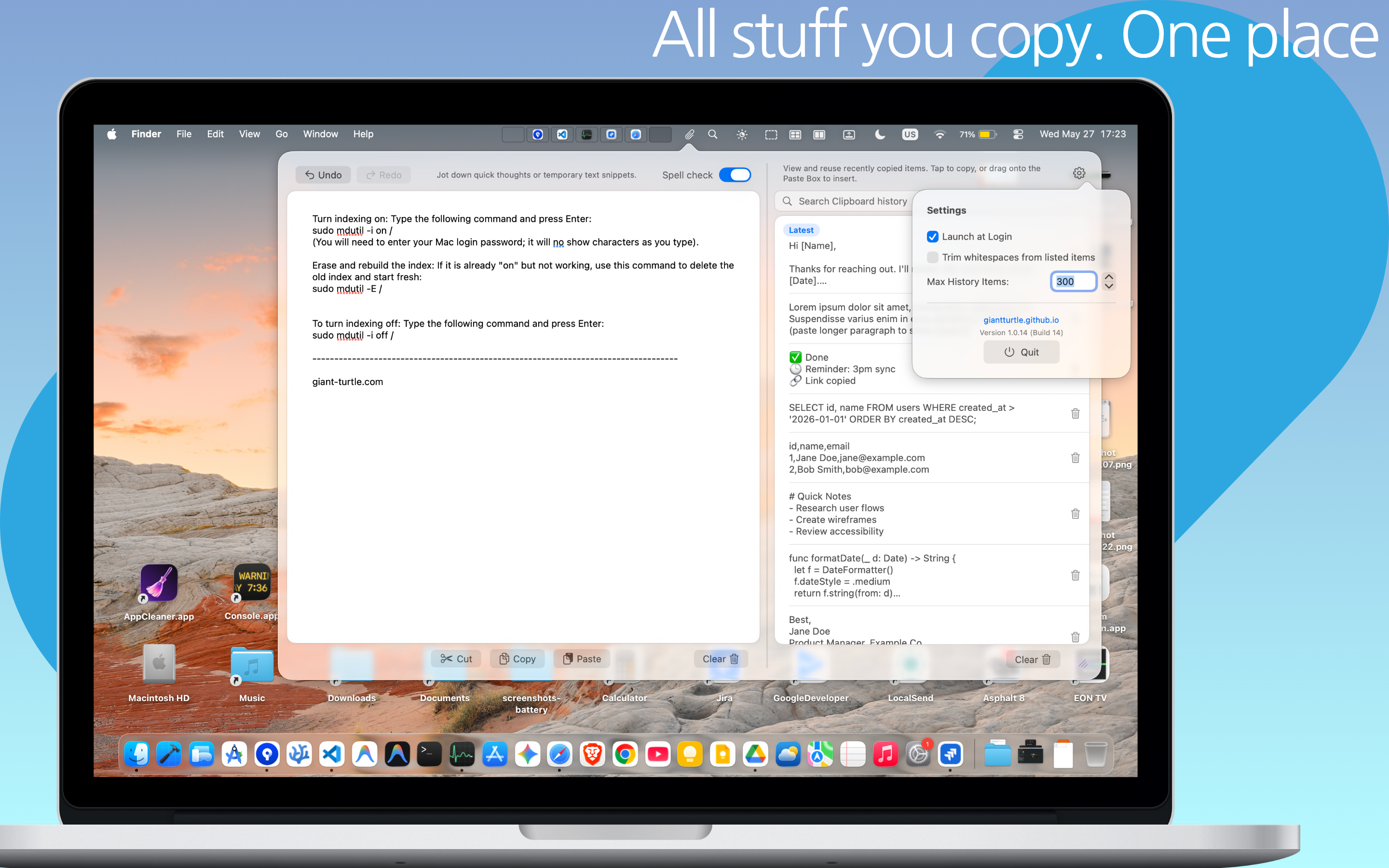
This is where Paste Box transforms the macOS workflow. Designed as a lightweight menu bar utility for MacBook Air, MacBook Pro, and Mac Studio, Paste Box bridges the gap between active scratchpad drafting and searchable clipboard history:
- Always Accessible via Global Hotkey: Tap a keyboard shortcut from within any window—whether you are inside VS Code, Terminal, Xcode, or Arc Browser—and Paste Box drops down immediately.
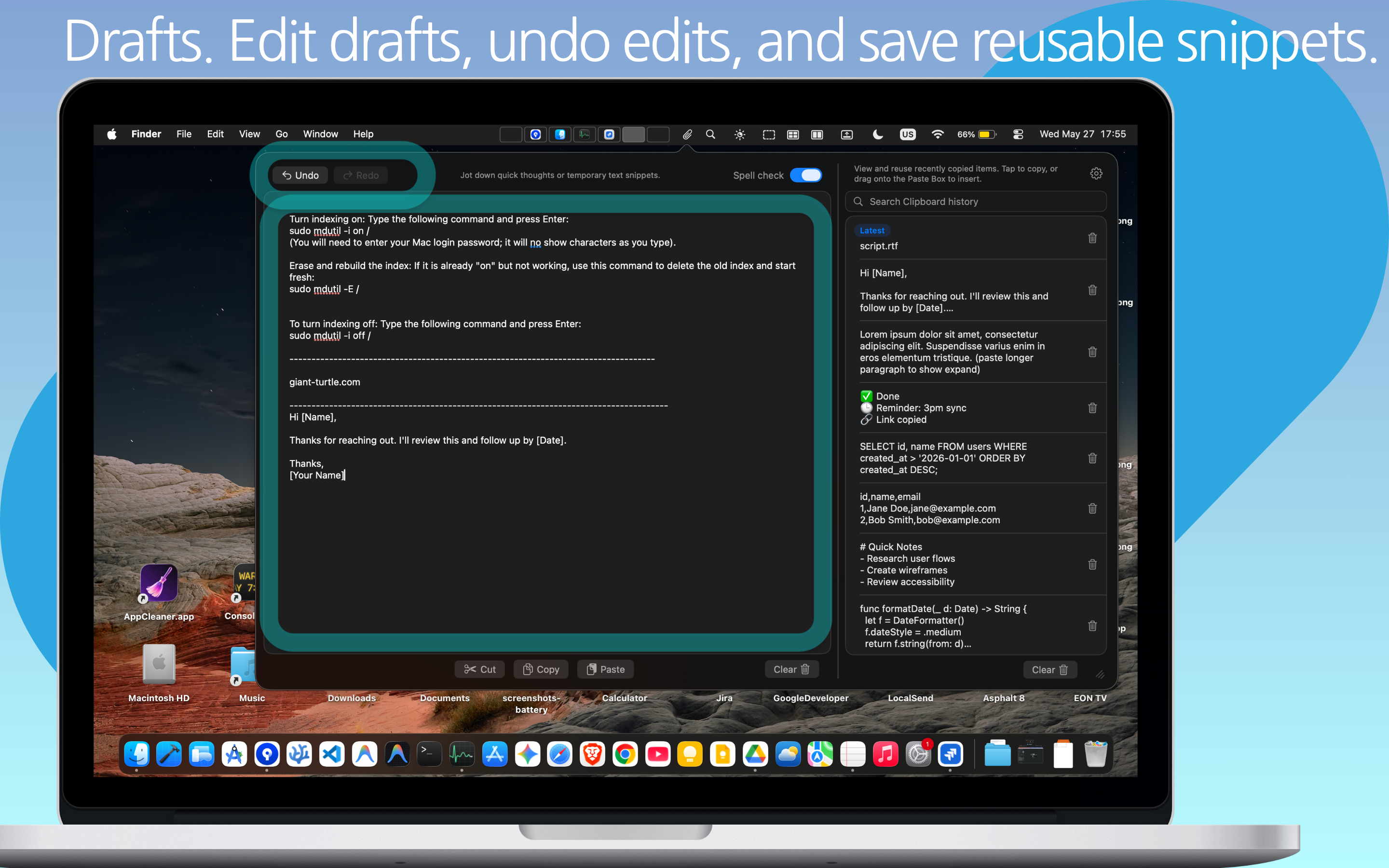
- Persistent Plaintext Scratchpad: Draft and stage multi-line prompts without worrying about premature submissions. Your text stays intact across app restarts, reboots, and workspace switches.
- One-Click Format Stripping: Strip away weird web styles, normalize tabs to spaces, and remove invisible unicode characters before your prompt reaches the LLM.
Supercharge Your AI Prompting with Paste Box
Never lose a code snippet, prompt template, or copied thought again. Paste Box combines an intelligent, searchable clipboard history manager with an always-ready persistent markdown scratchpad—100% native and private on macOS.
5. Chaining LLM Outputs & Managing Multi-Turn Variations
High-productivity AI workflows are rarely single-turn exchanges. Typically, you feed raw logs to a model to extract structured JSON, paste that JSON into a code generation prompt, and finally prompt for automated unit test coverage.
With Paste Box's chronological clipboard history, you don't need to juggle multiple browser windows or risk overwriting prior steps:
- Compare Output Variations: Ask Claude to generate three alternative database indexes. Copy all three. They are automatically saved and labeled in your Paste Box history, ready for side-by-side evaluation.
- Reusable Prompt Header Snippets: Save your favorite system persona templates as pinned clips in Paste Box. Whenever you open ChatGPT, Cursor, or your local Ollama terminal, paste your persona header in one click.
- Batch Piping: Copy four separate code blocks from documentation, open your scratchpad, and assemble them in sequence without flipping back and forth between browser tabs.
6. Privacy & Security: Guarding Intellectual Property Locally
Modern prompt engineering frequently involves staging sensitive business secrets: API keys, database connection strings, customer identifiers, and proprietary business logic.
Many popular clipboard managers and web-based prompt tools automatically sync your clipboard data to third-party cloud servers or track your typing telemetry. Paste Box is built with strict privacy-by-design principles: 100% local, sandboxed by macOS gatekeeper, with zero cloud transmission or analytics tracking. Your prompt staging remains your private competitive advantage.
7. Frequently Asked Questions
A clipboard manager passively logs everything you copy so you can retrieve past snippets. A scratchpad is an active, editable text canvas where you can write, edit, and assemble pieces. Paste Box is unique because it integrates both into one lightweight menu bar tool—giving you instant access to your copied history while you actively assemble your prompt in the scratchpad.
Yes. Paste Box is compiled natively in Swift for Apple Silicon (M1, M2, M3, M4) as well as Intel Macs, ensuring instantaneous activation, fluid 120Hz scrolling on ProMotion displays, and virtually zero background CPU or battery consumption.
When copying from websites or PDFs, text often carries hidden styling, background color attributes, and non-standard quotation marks. Paste Box automatically strips non-standard formatting, delivering clean, standard UTF-8 plaintext that guarantees clean tokenizer parsing.